

There’s a lot of information on the character sheet and it’s doubtful that any player has it all memorized. This is especially true for skills, actions, conditions, items, and feats that don’t get used very often. The DM may tell you you’ve been tackled by a villager in a tavern brawl and you now have the grappled condition. In a normal pen-and-paper game, that would result in finding the Player’s Handbook and flipping through it to find the section on Conditions and then finding grappled.
But DnD Beyond has virtually every word on the character sheet linked to the free Basic Rules of the game. So you don’t have to grab a book. You don’t even have to open a new browser window. All you have to do is click the word.
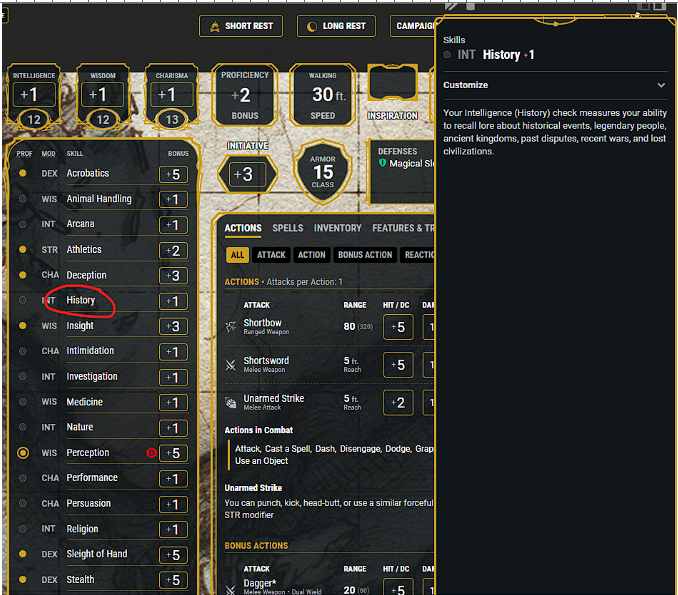
Clicking the word History, in the skills section of the character sheet, for example opens up a full description of the History skill from the Basic Rules.
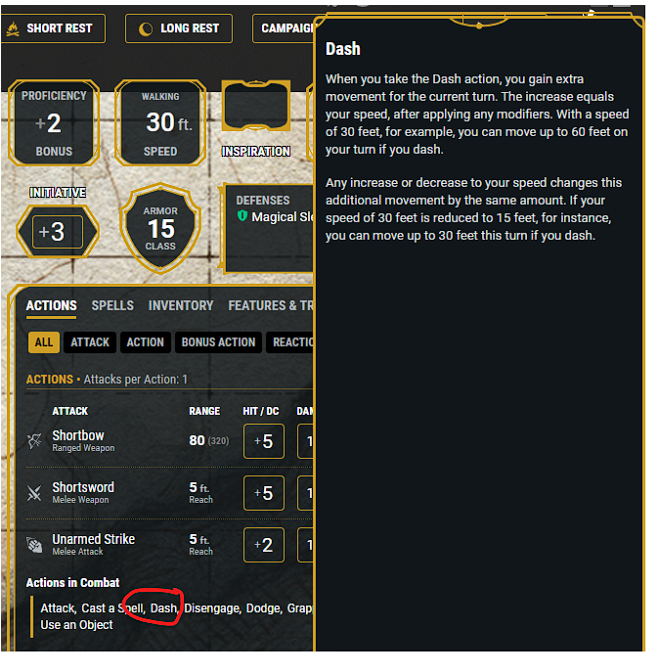
Similarly, clicking the Dash action in the Actions tab opens up a window describing the Dash action in detail.
Clickable links can be found for actions, spells, items, feats, abilities scores, saving throws (also featuring a customization dropdown), skills, proficiency bonus, armor class (including a table showing exactly how yours was calculated), speed and most other stats.
Now isn’t that handy?
 Curse of Strahd